Mecca eSIM - Travel Internet at the Best Price
eSIM Plans for Mecca
Choose your package
7 Days
15 Days
30 Days
45 Days
Need Broader Coverage? - Regional & Global Plans
Check out our regional and global eSIMs - prices shown are the starting rate, and coverage includes this destination.
Why choose AviaeSIM?
Instant activation
193 countries
24/7 support
Save up to 90%
Network Coverage in Mecca - 4G/5G Carriers
How to Activate eSIM in Mecca - 3 Steps
Choose Your Plan
Pick the right plan and check out securely online
Scan the QR Code
Get your QR code by email and scan it with your phone
Connect & Go
Turn on mobile data and you're online the moment you land
Frequently Asked Questions - Mecca eSIM
Yes - eSIMs work fully in Mecca on local carrier networks. Activation is simple: buy a plan, get a QR code by email, scan it in Settings → Cellular → Add eSIM, and turn on mobile data. The whole thing takes 2–3 minutes.
Our eSIMs run on local 4G/5G networks in Mecca. Urban speeds average 30–100 Mbps - plenty for video calls, streaming, and social media. Rural coverage can be slower, but 3G is widely available as a fallback.
eSIM is supported by iPhone XS and newer, Samsung Galaxy S20+, Google Pixel 3 and newer, Huawei P40 Pro+, and most other modern smartphones. Run your phone through our compatibility checker before buying.
Most eSIM plans are data-only. For calls and messages, use WhatsApp, Viber, Telegram, or similar apps over Wi-Fi or mobile data. A handful of plans include a local phone number - that's clearly flagged on the plan details.
Top up your eSIM from your AviaeSIM account (My eSIMs > Top Up) - the data is added to the same eSIM, no new QR code needed - or buy a new plan on our website or app. Unlimited plans never run out.
Most modern phones hold 8–10 eSIM profiles, but only one can be active at a time. Delete old eSIMs and add new ones whenever you need to.
Local plans cover one country and are usually the cheapest option. Regional plans cover a group of countries (e.g., across Europe) and are ideal for multi-country trips. Global plans work in 173 countries - more expensive, but you pay once for worldwide coverage.
Yes - eSIMs are completely safe. They're embedded in your phone, so they can't be physically stolen or lost, and data is encrypted just like on a regular SIM card.
Support
Need help? Email us at [email protected] — we reply 24/7 in multiple languages.
Why Pilgrims Choose an eSIM for Mecca
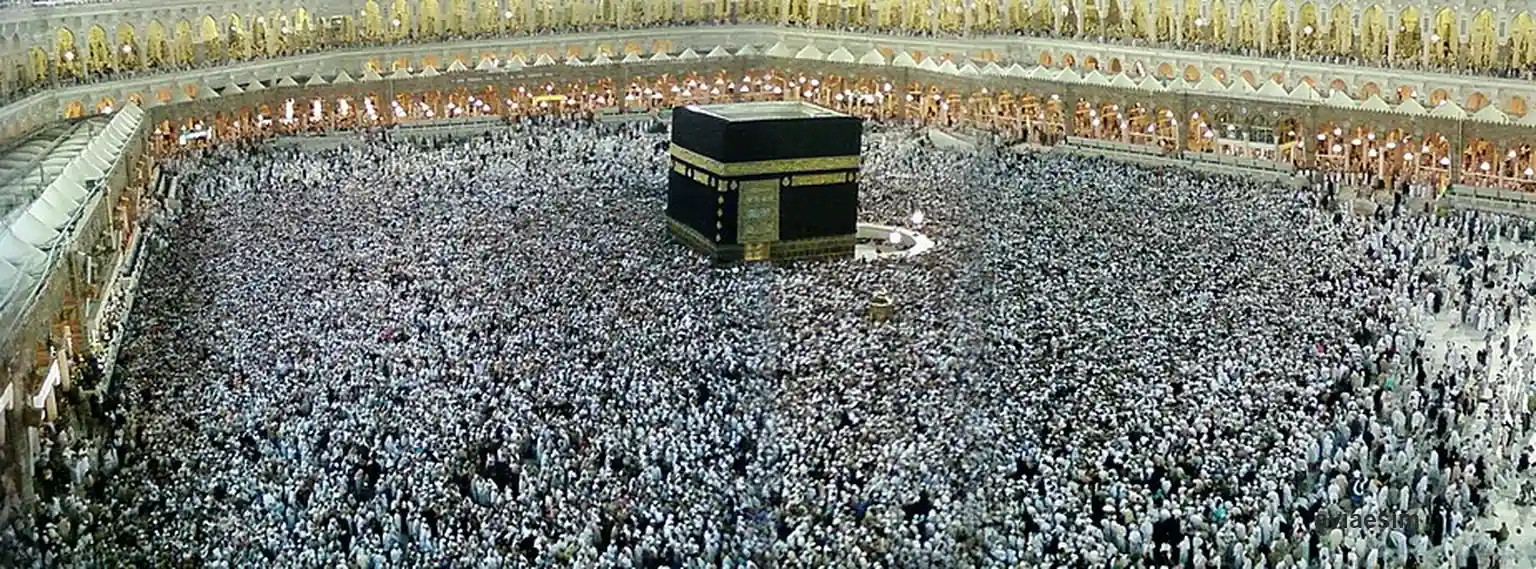
Travelling to Mecca (Makkah) for Umrah or Hajj? Most pilgrims fly into Jeddah's King Abdulaziz International (JED) and reach the holy city on the Haramain High Speed Railway in about 30 minutes, and a Mecca eSIM keeps you online the whole way — no operator-kiosk queue in the airport crowds, no Iqama check at a phone shop. Scan the QR code and STC or Mobily connect you as you arrive, so you can follow your group in the vast courtyards of the Masjid al-Haram around the Kaaba, check prayer and tawaf times, book a hotel shuttle beneath the Abraj Al-Bait clock tower, and coordinate on WhatsApp when the crowds are thick. The Nusuk app for Umrah and Hajj permits needs a live connection, and data helps you find your way between Mina, Arafat and Muzdalifah during Hajj. Pick a 7-day 3 GB plan for an Umrah visit, a 30-day 10 GB plan for a longer stay taking in Medina too, or a Saudi Arabia eSIM with unlimited data for an extended pilgrimage.
eSIM vs Saudi Tourist SIM — Which Works Best for Umrah in Mecca?
STC, Mobily and Zain sell tourist SIMs at Jeddah airport, but a Saudi tourist SIM means a kiosk queue in the Umrah-season crowds and showing your passport. An eSIM for Mecca activates before you land, runs on the same STC/Mobily networks and keeps working across Saudi Arabia — from the Haramain railway into the holy city to a later visit to Medina.
| eSIM | STC Tourist SIM | |
|---|---|---|
| Setup time | ≈ 2 minutes (QR scan pre-flight) | 15–30 min (kiosk queue at JED) |
| Coverage | STC / Mobily 4G/5G | same local networks |
| Paperwork | none — just QR scan | passport, sometimes Iqama at a city shop |
| Umrah & Hajj use | online for Nusuk, groups & shuttles | queue for a SIM on arrival |
| Top-up | online — no store visit | return to a kiosk or recharge card |
Mecca eSIM FAQ — Umrah, the Grand Mosque & Getting There
Which is the best eSIM for Mecca (Makkah)?
The best eSIM for Mecca runs on STC or Mobily, Saudi Arabia's two dominant networks, so you get strong 4G/5G around the Masjid al-Haram and across the city, even when the crowds are heavy. For an Umrah visit a 7-day 3 GB plan is usually enough; for a longer stay that also takes in Medina a 30-day 10 GB plan gives more headroom, and unlimited data suits an extended pilgrimage.
How do I get an eSIM working in Mecca for Umrah?
Buy and install the eSIM before you fly and scan the QR code over Wi-Fi at home. You'll usually land at Jeddah (JED), so switch on the eSIM profile there and you're online for the Haramain railway or your hotel shuttle into Mecca — no kiosk queue in the Umrah crowds. It stays connected as you reach the Grand Mosque, handy for the Nusuk app, your group and family updates.
Does the eSIM work at the Grand Mosque and during Hajj at Mina and Arafat?
Yes. STC and Mobily cover the Masjid al-Haram and the wider holy sites, so you keep signal for tawaf and prayer times and for messaging even in dense crowds — though at peak Hajj moments networks can be congested. The same plan follows you between Mina, Arafat and Muzdalifah and on the Mashaer Metro that links them, so download offline maps as a backup for the busiest days.